Git Tricks

Introduction
This post is a collection of git tricks and tips that I have learned over the years of using git, it is not a comprehensive guide to git, but rather a collection of tips and tricks that I have found useful in my git journey. It will be updated over time as I learn new tricks and tips.
Making a new brach with uncommited changes
When working on a feature or bugfix, it is often useful to create a new branch to work on the changes, but sometimes you want to clean up the branch commit history even if they are pushed to a remote repository.
1
2
3
4
git checkout main
git checkout -b new-branch
git merge feature-branch --no-ff
git reset HEAD~1
now you have a new branch new-branch with the changes from feature-branch but without the commit history from feature-branch. You can now commit the changes as a single commit or the number of commits you want. You can now push the new branch to the remote repository.
1
git push origin new-branch
and if you want to delete the old branch locally an in the remote repository:
1
2
git branch -D feature-branch
git push origin --delete feature-branch
make a custom git graph command
When working with git, it is often useful to visualize the commit history of a repository, git provides a built-in command git log --graph to visualize the commit history, but it can be hard to read and understand. You can create a custom git command to visualize the commit history in a more readable format.
1
git config --global alias.graph "log --graph --abbrev-commit --date=relative --pretty=format:'%Cred%h%Creset -%C(yellow)%d%Creset %s %Cgreen(%cr) %C(cyan)<%an>%Creset'"
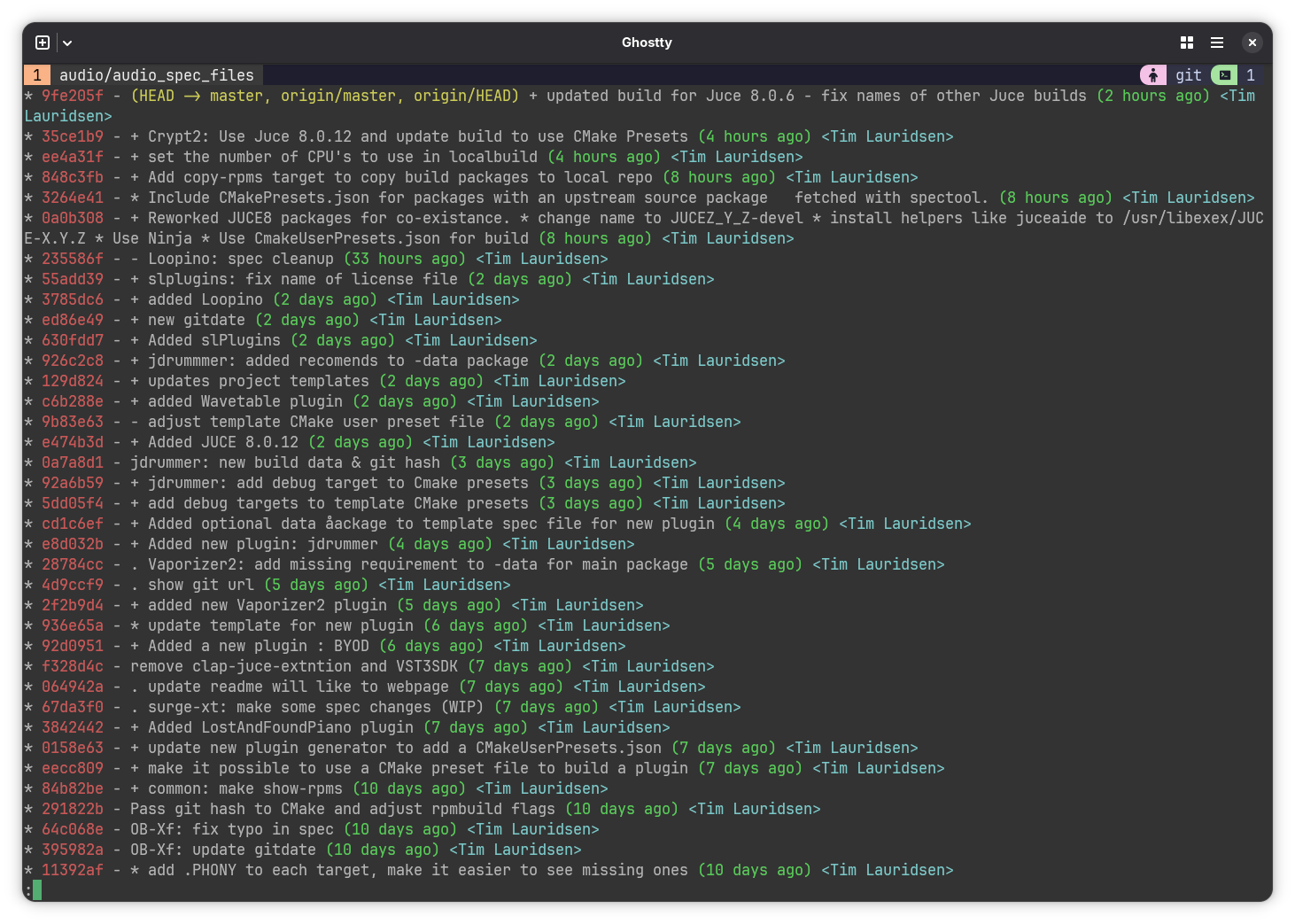
Run the command above to create a new git alias git graph that will visualize the commit history in a more readable format, you can now use the command git graph to visualize the commit history of a repository.
1
git graph
The output of the command will look something like this: